Browser version
An up-to-date Chrome, Firefox or Safari build is enough. Older browser versions may not support live-stream playback or the push-notification permission prompt.
The 666ed app experience runs through your mobile browser — no separate download required to reach slots, live tables or the sportsbook. Availability depends on local law and is accessible where your region permits; check the current site for the latest access details.

Most Pakistan players open 666ed on mid-range Android handsets or iPhones running a current OS build. The compatibility points below cover what to check before your first mobile session.
An up-to-date Chrome, Firefox or Safari build is enough. Older browser versions may not support live-stream playback or the push-notification permission prompt.
The lobby layout responds to portrait and landscape orientations. Slot grids and live-table streams adjust without a manual zoom on screens 5 inches and above.
You need a verified 666ed account before accessing any game from a mobile browser. Account registration, including phone verification, can be completed on the mobile site itself.
To confirm whether your specific handset model is fully supported, check the device-compatibility note inside your account settings page or contact our support channel.
Live casino streams from Evolution run more stably on a 4G or Wi-Fi connection. A weaker signal may cause buffering on live tables, while slots and crash games load fine on 3G.

Getting into the 666ed lobby from your phone does not require an app store visit. Open your preferred mobile browser — Chrome on Android and Safari on iOS both work — and go to 666ed. Once the site loads, check that your browser version is current; outdated browsers may block live-stream content or biometric prompts. Sign into your account using your credentials
or your saved biometric shortcut if you set one up previously. If you are on a new device, an OTP is sent to your registered number to confirm it is really you. After that, the full lobby — slots, live tables, Crash Betboost, Roulette Nightfire and the sportsbook — is available right in the browser tab.
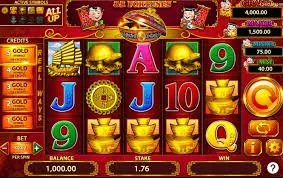
Once you open 666ed on your phone, the lobby loads with slots from Pragmatic Play and PG Soft — titles like Gates of Olympus and Mahjong Ways sit alongside crash games such as Aviator. The live casino section streams Evolution tables directly to your screen, and the sportsbook surfaces PSL and international cricket markets at the same view. Push notifications (where your
browser allows them) flag account activity, so you are not refreshing constantly. Quick-deposit shortcuts inside the session keep your JazzCash or Easypaisa wallet a couple of taps away. Fingerprint login via your device's built-in biometrics shortens the sign-in step to under a second on supported handsets.
The 666ed mobile experience is built around how Pakistan players actually use their phones — fast logins, readable layouts and account alerts that do not interrupt the game.
Use your phone's fingerprint or face-unlock to sign in. No typing your password each time — your device handles the authentication and drops you straight into the lobby.
Allow browser notifications and we will ping your screen when account activity happens — deposit confirmation, withdrawal status or a session reminder you set yourself.
The lobby adapts to your device's dark-mode setting automatically. Late-night sessions on a dimmed screen are easier on your eyes without adjusting anything manually.
If your connection drops briefly, the last loaded lobby state stays visible. You can browse game tiles and check your balance summary without a live connection, then reconnect to play.
These are the questions we hear most from Pakistan players setting up mobile access for the first time — answered directly so you know exactly what to expect.
Service availability depends on eligible regions and local law. Users should check local rules before opening an account.
Access may be available only where local law permits.